
Weekly Reflection #8 – EdTech Presentations


Presentation #1 – Virtual Field Trips
“How can virtual field trips enhance accessibility and engagement for elementary students with diverse learning needs?”
Our classmates provided some really thorough information about how Virtual Field Trips (VFT) can not only be an affordable, accessible way to provide experiences for your classroom, but also provide an accessible option for all kiddos with diverseabilities.
One aspect of using VFT’s that really stood out, that I hadn’t considered before is around school budgets. If, for some reason, there is no budget for field trips, then VFT’s are a GREAT option! You could still provide some really amazing, immersive experiences — with no cost!
Some of the ideas that the ladies suggested were google earth, a VFT to the Calgary Zoo and museum virtual tours. I spent some time looking into these ideas and have collected the links before for future reference. I think these will come in handy in the future!
Free Virtual Field Trips – Freedom Homeschooling
70 Best Virtual Field Trips for Kids | FREE – Little Learning Corner
Free Virtual Field Trips That Bring the World to Your Class
International Space Station — Google Arts & Culture
Fall in Love with the World Again
How to Design Interactive Virtual Field Trips using Google Earth – Llearning Llama
ThingLink | Immersive Learning for Real World Environments
Presentation #2 – Unplugged or Unprepared?
“To what extent is it important for elementary school children to develop digital literacy and internet awareness, not only in using technology but also in understanding how it works, and how does this impact their social-emotional development?”
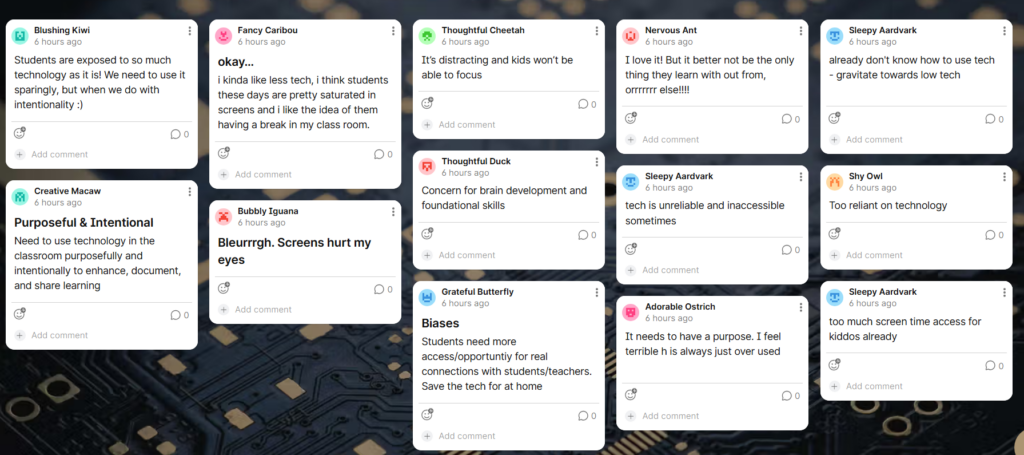
At the beginning of our presentation we asked fellow students to quickly fill out this Padlet. I was a bit surprised to see that most of us have similar biases about technology in the classroom. The majority of us agree that technology is over-used or over-available to kids already, so we should only use technology when it’s purposeful and aligned with curricular competencies. That pretty much sums up our presentation. It was good to be validated in our biases, by all the teachers that we interviewed in our podcast. Technology has a place, but should be used as a tool not a toy!
Presentation #3 – High Tech, Low Tech, No Tech
“What are the implications of high tech, low tech, and no tech classrooms?”
This group presented some compelling ideas about low-tech, high-tech and no-tech classrooms. I hadn’t really considered what “low-tech” means — it means that you used tools that are low-tech — like calculators, visual timers, fidget spinners, noise cancelling headphones, visual calendars/schedules and first/then visuals. It totally makes sense, but it was a bit of a lightbulb moment.
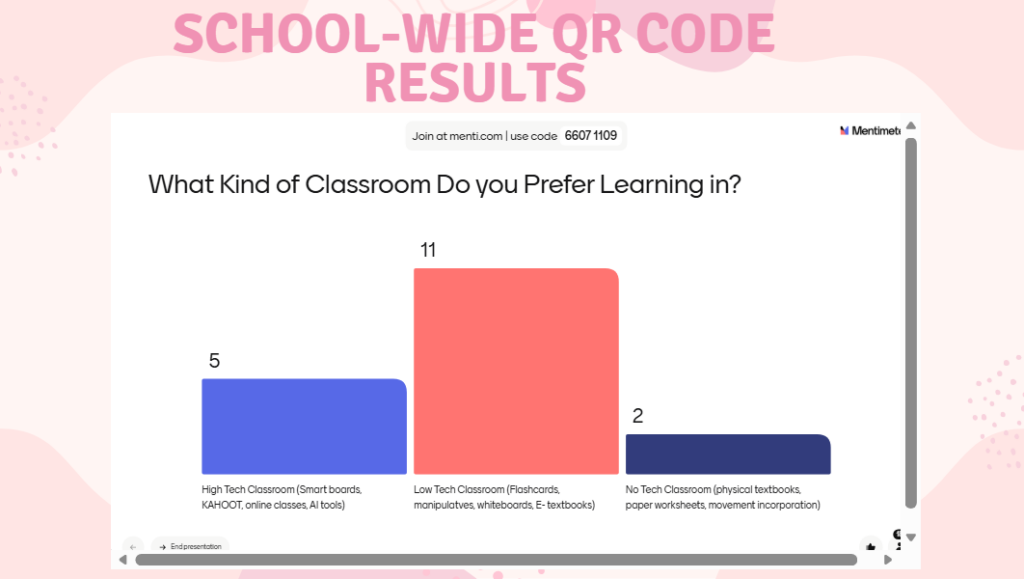
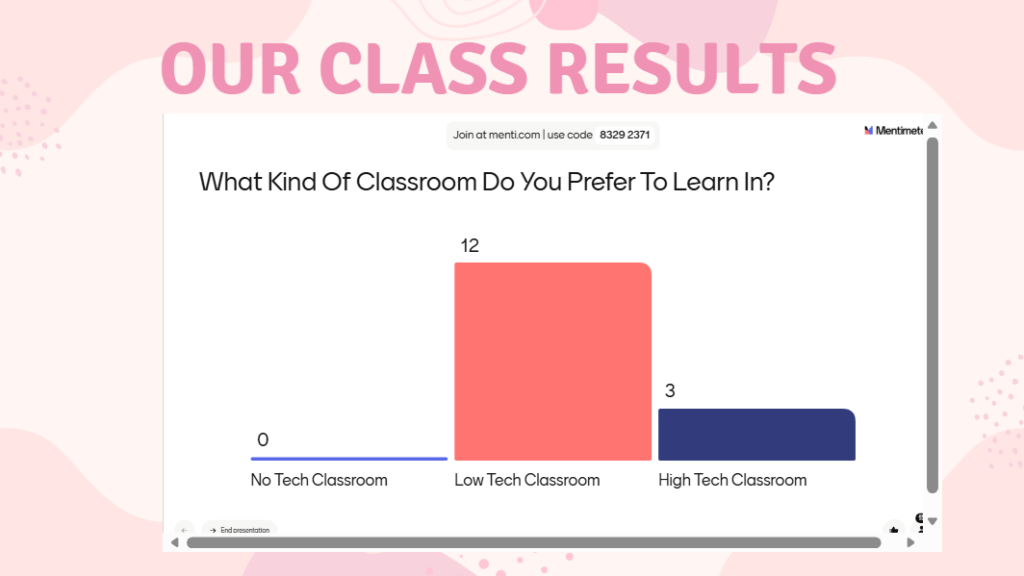
In their presentation they also asked up to fill in a Mentimeter poll. “What kind of classroom do you prefer to learn in?” They also posted the same question in the college and collected data from the public. The results were surprisingly similar and I was a big caught off guard that most people learn best in low-tech classrooms. I understand that for my generation / age of people but I expected younger generations to prefer a high-tech learning environment.
They also highlighted Waldorf Schools in their presentation. I don’t know much about the Waldorf methods of teaching, but I have heard a lot of home learning families adopt this type of learning.

Presentation #4 – Finding the Balance
“How can teachers find the right balance between low-tech, hands-on learning and high-tech digital tools to support meaningful student engagement in today’s classrooms?”
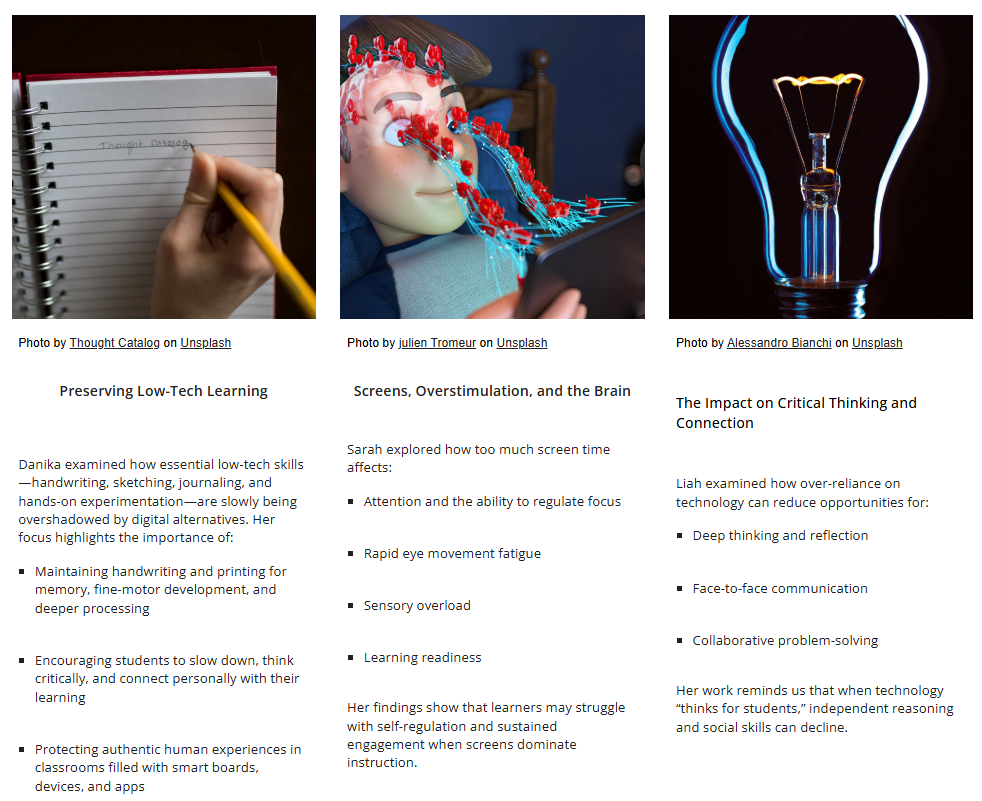
One group member examined how to preserve low-tech skills in the classroom and make sure that meaningful, hands-on learning and real human interaction aren’t pushed aside by excessive technological tools. Another investigated the impact of overstimulation and rapid eye movement on the brain, considering how excessive screen time affects attention, self-regulation, and learning. The third member of the group focused on how depending too heavily on technology can weaken students’ capacity for critical thinking, communication, and effective collaboration.
Their project really highlighted the need for an appropriate balance of technology in the classroom. I think this will be a tricky part about the future of teaching. In a world where technology is increasing in popularity, so many jobs and careers require VERY digitally literate people and the expectations on STEM and ADST are every-growing — it’s going to be hard to find that balance in this new world.
The below image is from their website: Finding the Balance – Summary
Presentation #5 – Technology and Student Safety
“How can schools use technology to enhance student safety during emergencies
while balancing privacy, equity, and a positive learning environment?”
This informative presentation covered topics like school security systems, predictive analysis, emergency communication apps and digital monitoring technology. To be honest, I don’t think I’ve given this topic too much thought. I suppose, since school shooting, weapons and suicide are on the rise, schools need to think seriously about how much security is appropriate for their students and staff.
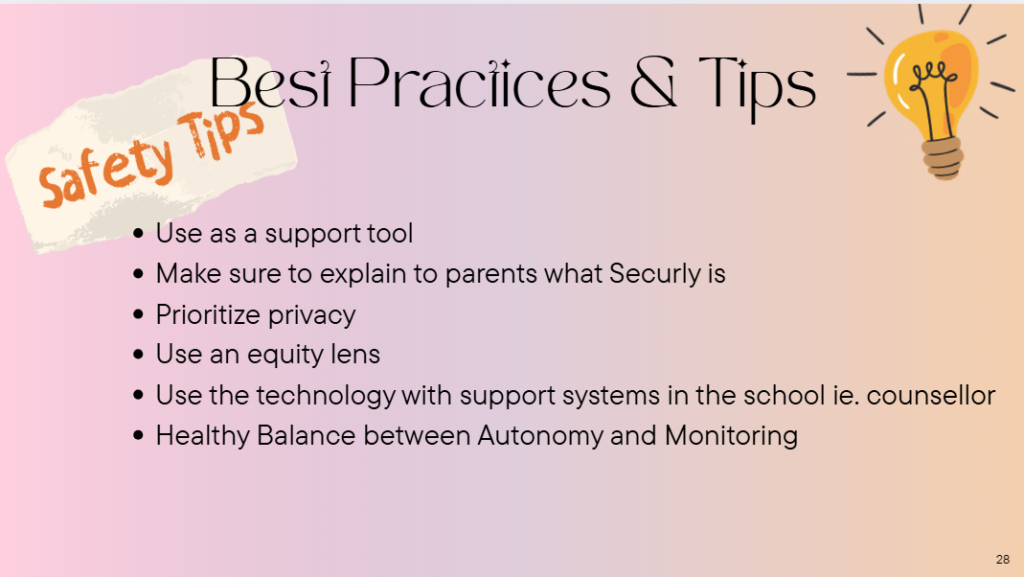
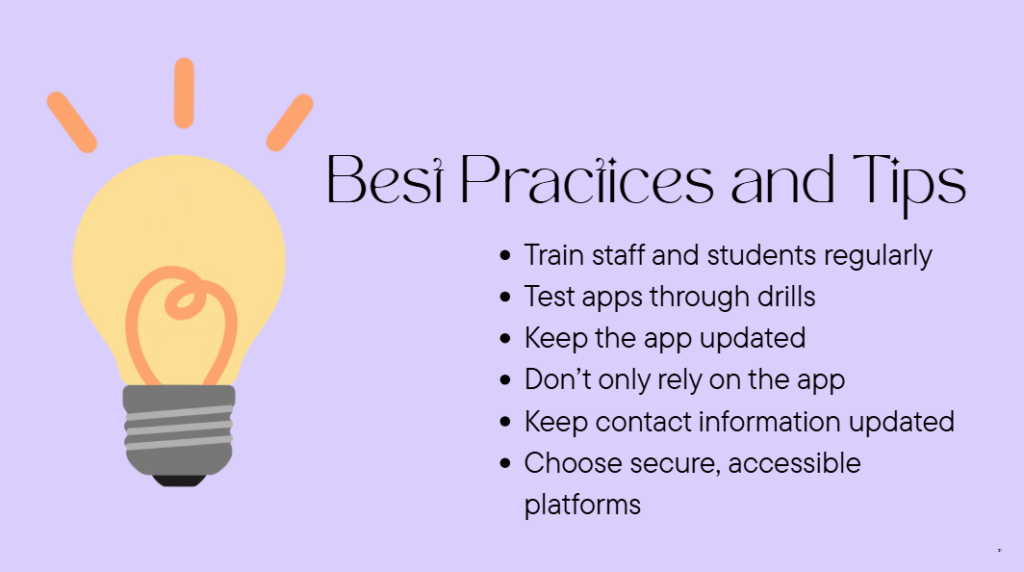
I really appreciated the information this group presented about “best practices and tips” around the topic of security and safety. The below images are from their Canva presentation. There are a lot of important issues to consider and when schools implement security systems or any type of monitoring system, it needs a vast amount of different considerations. I can only imagine how difficult this would be — but if it can save lives, then it should be done!
Overall reflection:
Most of the groups touched on how technology needs to be intentional and purposeful for ourselves and our students! There were lots of comments about how technology can be useful for increasing access for kids with diverse needs. The topic of barrier emerged also — not all technology is available or accessible for all kids. The one group that covered a different topic: security in schools, did a great job highlighting some real-world ways that technology can protect teachers and students.
One of my main takeaways is going to be the virtual field trips. I have thought about them before, but haven’t put much energy into researching what is available and accessible for free. I can see myself using VFT’s in practica and in future teaching adventures. I think we all learned a lot today. I know I did.
cover Photo by Judy Beth Morris on Unsplash